
Asus
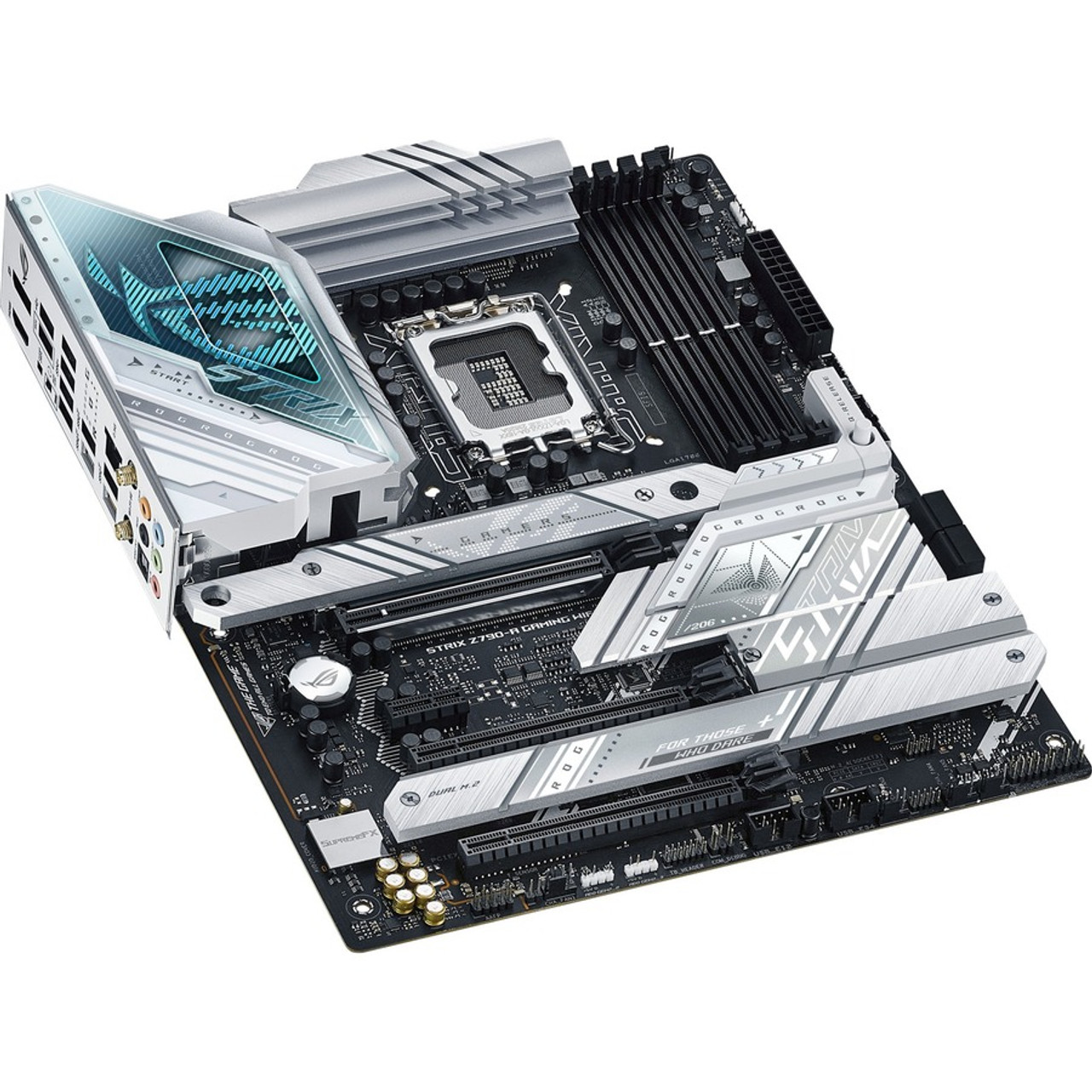
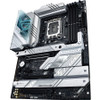
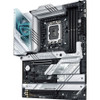
Asus ROG Strix Z790-A GAMING WIFI Gaming Desktop Motherboard - Intel Z790 Chipset - Socket LGA-1700 - ATX (rogstrixz790-agamingwifi)
(No reviews yet)
Write a Review

- SKU:
- 19965106
- MPN:
- rogstrixz790-agamingwifi
- Availability:
- Out of stock
- Stock Update:
- 01/14/2026 01:37:19 PM PST









- Stock Update:
- 01/14/2026 01:37:19 PM PST
Description
This item is brand-new, factory sealed.
Well-versed in style, performance, cooling, and connectivity, the DDR5 variant of the ROG Strix Z790-A exudes the same balance as its D4 brethren, but after taking a master class in memory. A robust VRM topped with stout silver heatsinks comfortably articulates power for the latest Intel 13th Gen Core processors, while PCIe 5.0, WiFi 6E, and high-speed USB flesh out the board's fluency across a variety of disciplines. And a vast collection of tuning options and utilities derived from its ROG heritage are the icing on top.DIY-FRIENDLY FEATURES
PCIE SLOT Q-RELEASE
A physical button unlocks the first PCIe slots security latch with one press, greatly simplifying the process of detaching a PCIe card from the motherboard when its time to upgrade to a new GPU or other compatible device.
M.2 Q-LATCH
The innovative Q-Latch makes it easy to install or remove an SSD from an M.2 slot. The design employs a simple locking mechanism to secure the drive, eliminating the need for a traditional screw.
CLEAR CMOS
The Clear CMOS button quickly resets BIOS settings to factory default. It can also be used to reboot the PC if incorrect BIOS settings have been selected.
BIOS FLASHBACK
BIOS FlashBack is a safe and simple way to update BIOS. Just drop the (UEFI) BIOS file onto a FAT32-formatted USB stick, plug it into the USB BIOS FlashBack port, and press the button. Updates can even be performed without having memory or a CPU installed.
Q-LED
Four onboard LEDs indicate power status and identify problems with CPU, memory, graphics card, or boot device for quick diagnosis.CPU
Intel Socket LGA1700 for 13th Gen Intel CoreTM and 12th Gen Intel CoreTM, Pentium Gold and Celeron Processors Supports Intel Turbo Boost Technology 2.0 and Intel Turbo Boost Max Technology 3.0Note2
Note:
1. Refer to www.asus.com for CPU support list.
2. Intel Turbo Boost Max Technology 3.0 support depends on the CPU types.Chipset
Intel Z790 ChipsetMemory
4 x DIMM, Max. 128GB, DDR5
7800+(OC)/7600(OC)/7400(OC)/7200(OC)/7000(OC)/6800(OC)/6600(OC)/6400(OC)/ 6200(OC)/6000(OC)/5800(OC)/5600/5400/5200/5000/4800 Non-ECC, Un-buffered MemoryNote1
Dual Channel Memory Architecture
Supports Intel Extreme Memory Profile (XMP)
OptiMem II
Note:
1. Supported memory types, data rate (speed), and number of DRAM modules vary depending on the CPU and memory configuration, for more information please refer to CPU/Memory Support under the Support tab or visit https://www.asus.com/support/
2. Non-ECC, un-buffered DDR5 memory supports On-Die ECC function.Graphics
1 x DisplayPortNote2
1 x HDMI portNote3
Note:
1. Graphics specifications may vary between CPU types. Please refer to www.intel.com for any updates.
2. Supports max. 8K at 60Hz as specified in DisplayPort 1.4.
3. Supports 4K at 60Hz as specified in HDMI 2.1.
4. VGA resolution support depends on processors or graphic cards resolution.Expansion Slots
Intel 13th and 12th Gen Processors
1 x PCIe 5.0 x16 slot
Intel Z790 Chipset
2 x PCIe 4.0 x16 slots (support x4 mode)
1 x PCIe 3.0 x1 slot
Note:
1. Please check the PCIe bifurcation table on the support site
(https://www.asus.com/support/FAQ/1037507/).
2.To ensure compatibility of the device installed, please refer to https://www.asus.com/support/ for the list of supported peripherals.Storage
Total supports 4 x M.2 slots and 4 x SATA 6Gb/s portsNote
Intel 13th and 12th Gen Processors
M.2_1 slot (Key M), type 2242/2260/2280/22110 (supports PCIe 4.0 x4 mode)
Intel Z790 Chipset
M.2_2 slot (Key M), type 2242/2260/2280 (supports PCIe 4.0 x4 mode)
M.2_3 slot (Key M), type 2242/2260/2280/22110 (supports PCIe 4.0 x4 mode)
M.2_4 slot (Key M), type 2242/2260/2280 (supports PCIe 4.0 x4 and SATA modes)
4 x SATA 6Gb/s portsNote
Note:
Intel Rapid Storage Technology supports PCIe RAID 0/1/5/10, SATA RAID 0/1/5/10.Ethernet
1 x Intel 2.5Gb Ethernet
ASUS LANGuardWireless and Bluetooth
Wi-Fi 6E
2x2 Wi-Fi 6E (802.11 a/b/g/n/ac/ax)
Supports 2.4/5/6GHz frequency bandNote1
Bluetooth v5.3
Note:
1. WiFi 6E 6GHz regulatory may vary between countries.
2. The Bluetooth version may vary, please refer to the Wi-Fi module manufacturers website for the latest specifications.USB
Rear USB (Total 10 ports)
1 x USB 3.2 Gen 2x2 port (1 x USB Type-C)
3 x USB 3.2 Gen 2 ports (2 x Type-A + 1 x USB Type-C)
4 x USB 3.2 Gen 1 ports (4 x Type-A)
2 x USB 2.0 ports (2 x Type-A)
Front USB (Total 7 ports)
1 x USB 3.2 Gen 2x2 connector (supports USB Type-C with up to 30W PD Fast-charge)
1 x USB 3.2 Gen 1 header supports 2 additional USB 3.2 Gen 1 ports
2 x USB 2.0 headers supports 4 additional USB 2.0 portsAudio
ROG SupremeFX 7.1 Surround Sound High Definition Audio CODEC ALC4080
- Impedance sense for front and rear headphone outputs
- Supports: Jack-detection, Multi-streaming, Front Panel Jack-retasking
- High quality 120 dB SNR stereo playback output and 113 dB SNR recording input
- Supports up to 32-Bit/384 kHz playback
Audio Features
- SupremeFX Shielding Technology
- Savitech SV3H712 AMP
- Rear optical S/PDIF out port
- Premium audio capacitors
- Audio cover
(The rear panel Line out port does not support spatial audio. If you wish to use spatial audio make sure to connect your audio output device to the audio jack on the front panel of your chassis.)Back Panel I/O Ports
1 x USB 3.2 Gen 2x2 port (1 x USB Type-C)
3 x USB 3.2 Gen 2 ports (2 x Type-A, 1 x USB Type-C)
4 x USB 3.2 Gen 1 ports (4 x Type-A)
2 x USB 2.0 ports (2 x Type-A)
1 x DisplayPort
1 x HDMI port
1 x Wi-Fi Module
1 x Intel 2.5Gb Ethernet port
5 x Audio jacks
1 x Optical S/PDIF out port
1 x BIOS FlashBackTM button
1 x Clear CMOS button
(The rear panel Lime (Line out) port does not support spatial audio. If you wish to use spatial audio make sure to connect your audio output device to the audio jack on the front panel of your chassis.)Internal I/O Connectors
Fan and Cooling related
1 x 4-pin CPU Fan header
1 x 4-pin CPU OPT Fan header
1 x 4-pin AIO Pump header
5 x 4-pin Chassis Fan headers
Power related
1 x 24-pin Main Power connector
2 x 8-pin +12V Power connectors
Storage related
4 x M.2 slots (Key M)
4 x SATA 6Gb/s ports
USB
1 x USB 3.2 Gen 2x2 connector (supports USB Type-C )
1 x USB 3.2 Gen 1 header supports 2 additional USB 3.2 Gen 1 ports
2 x USB 2.0 headers support 4 additional USB 2.0 ports
Miscellaneous
3 x Addressable Gen 2 headers
1 x Aura RGB header
1 x CPU Over Voltage jumper
1 x Front Panel Audio header (AAFP)
1 x 20-3 pin System Panel header with Chassis intrude function
1 x Thermal Sensor header
1 x ThunderboltTM headerSpecial Features
Extreme Engine Digi+
- 5K Black Metallic Capacitors
ASUS Q-Design
- M.2 Q-Latch
- PCIe Slot Q-Release
- Q-DIMM
- Q-LED (CPU (red), DRAM (yellow), VGA (white), Boot Device (yellow green))
- Q-Slot
ASUS Thermal Solution
- M.2 heatsink backplate
- M.2 heatsink
- VRM heatsink design
ASUS EZ DIY
- BIOS FlashBackTM button
- BIOS FlashBackTM LED
- Clear CMOS button
- CPU Socket lever protector
- ProCool II
- Pre-mounted I/O shield
- SafeSlot
- SafeDIMM
Aura Sync
- Aura RGB header
- Addressable Gen 2 headersSoftware Features
ROG Exclusive Software
- GameFirst VI
- ROG CPU-Z
- Sonic Studio III + Sonic Studio Virtual Mixer + Sonic Suite Companion
- Sonic Radar III
- DTS Sound Unbound
ASUS Exclusive Software
Armoury Crate
- AIDA64 Extreme (60 days free trial)
- Aura Creator
- Aura Sync
- Fan Xpert 4 (with AI Cooling II)
- Power Saving
- Two-Way AI Noise Cancellation
AI Suite 3
- Easy Optimization with AI Overclocking
- TPU
- DIGI+ VRM
- Turbo app
- PC Cleaner
MyAsus
Norton 360 for Gamers
WinRAR
UEFI BIOS
AI Overclocking Guide
ASUS EZ DIY
- ASUS CrashFree BIOS 3
- ASUS EZ Flash 3
- ASUS UEFI BIOS EZ Mode
FlexKey
MemTest86BIOS
256 Mb Flash ROM, UEFI AMI BIOSManageability
WOL by PME, PXEAccessories
Cables
2 x SATA 6Gb/s cables
Additional Cooling Kit
1 x Thermal pad for M.2
Miscellaneous
1 x ASUS Wi-Fi moving antennas
1 x Cable ties package
1 x M.2 backplate Q-Latch package
1 x M.2 Q-Latch package
1 x ROG key chain
1 x ROG Strix stickers
1 x ROG Strix thank you card
2 x M.2 Rubber Packages
1 x M.2 backplate Rubber
PackageDocumentation
1 x User guideOperating System
Windows 11, Windows 10 64-bitForm Factor
ATX
12 inch x 9.6 inch ( 30.5 cm x 24.4 cm )Item Dimension (L inchxW inchxH inch)
14 x 11 x 3
Weight
4.65lb
Warranty Information
3 Years
Features
Package Contents:
- Strix Z790-A GAMING WIFI Gaming Desktop Motherboard
- 2 x SATA 6Gb/s cables
- 1 x Thermal pad for M.2
- 1 x ASUS Wi-Fi moving antennas
- 1 x Cable ties package
- 1 x M.2 backplate Q-Latch package
- 1 x M.2 Q-Latch package
- 1 x ROG key chain
- 1 x ROG Strix stickers
- 1 x ROG Strix thank you card
- 2 x M.2 Rubber Packages
- 1 x M.2 backplate Rubber
- 1 x User guide
Specs
| Physical Characteristics | |
| Form Factor | ATX |
| Width | 12" |
| Depth | 9.6" |
| I/O Expansions | |
| Number of PCI Express x1 Slots | 1 |
| Total Number of Expansion Slots | 4 |
| PCI Express Standard |
|
| Number of PCI Express x16 Slots | 3 |
| Total Number of PCI Express Slots | 4 |
| Memory | |
| Memory Technology | DDR5 SDRAM |
| Number of Memory Slots | 4 |
| Memory Speed Supported |
|
| Memory Form Factor |
|
| Maximum Memory Supported | 128 GB |
| General Information | |
| Brand Name | Asus ROG |
| Manufacturer Website Address | http://usa.asus.com |
| Marketing Information | Well-versed in style, performance, cooling, and connectivity, the DDR5 variant of the ROG Strix Z790-A exudes the same balance as its D4 brethren, but after taking a master class in memory. A robust VRM topped with stout silver heatsinks comfortably articulates power for the latest Intel ® 13 th Gen Core processors, while PCIe 5.0, WiFi 6E, and high-speed USB flesh out the board's fluency across a variety of disciplines. And a vast collection of tuning options and utilities derived from its ROG heritage are the icing on top. PCIE ® SLOT Q-RELEASE A physical button unlocks the first PCIe slot's security latch with one press, greatly simplifying the process of detaching a PCIe card from the motherboard when it's time to upgrade to a new GPU or other compatible device. ALL-ROUND PERFORMANCE Robust power delivery, breakneck DDR5 memory, speedy storage, and comprehensive cooling elevate any build with the ROG Strix Z790-A at its center. AI OVERCLOCKING Tuning is now faster and smarter than ever before. ASUS AI Overclocking profiles the CPU and cooling to predict the optimal configuration and push the system to its limits. Predicted values can be engaged automatically or used as a launching ground for further experimentation. LEADING CONNECTIVITY Next-gen connectivity and low-latency networking are hallmarks of the ROG ecosystem, and the Strix Z790-A delivers both of them in full. Joining them is an advanced audio solution for immersive sound so you can pick out the slightest cues and nuances. WIFI 6E Onboard WiFi 6E technology takes advantage of newly available spectrum in the 6 GHz band to provide up to seven 160 MHz channels for ultrafast throughput and better performance in dense wireless environments. 2.5G Ethernet Low-latency gaming, speedy file transfers, and high-resolution video streaming are among the many perks of onboard Intel ® 2.5 Gbps Ethernet. PLAY IN STYLE Bold aesthetics and Aura Sync RGB controls let the ROG Strix Z790-A shine in every build. UNDENIABLY ROG STRIX The ROG Strix Z790-A boldly embraces the light, for an alternate take on build themes to its dark and brooding brother, the Strix Z790-F. Silver metallic heatsinks pop against a dark PCB backdrop and call attention to the board's high capacity for thermal management. A transparent layer on the I/O shield adds a unique touch and emphasizes the customizable RGB logo below. The whole design is tied together with ROG-centric detailing on the board, heatsinks, and I/O shield for a vibrant and futuristic outlook. Pair the Strix Z790-A with other products from the diverse ROG ecosystem to create a fully-customized gaming setup that reflects your personal style. SOFTWARE UTILITIES A myriad of ROG-exclusive tools put advanced system tuning and configuration at your fingertips. AI COOLING II Balance the thermals and acoustics of any build with a single click. A proprietary ASUS algorithm slashes unnecessary noise while running a quick stress test, and then monitors CPU temperatures to dynamically adjust fans to optimal speeds. |
| Product Type | Gaming Desktop Motherboard |
| Product Name | Strix Z790-A GAMING WIFI Gaming Desktop Motherboard |
| Manufacturer | ASUS Computer International |
| Manufacturer Part Number | ROG STRIX Z790-A GAMING WIFI |
| Product Model | Z790-A GAMING WIFI |
| Product Line | Strix |
| Processor & Chipset | |
| Chipset Manufacturer | Intel |
| Processor Generation Supported |
|
| Processor Supported |
|
| Total Processor Supported | 1 |
| Processor Socket | Socket LGA-1700 |
| Chipset Model | Z790 |
| Onboard Interfaces | |
| Number of SATA Interfaces | 4 |
| Total Number of Onboard USB Ports | 7 |
| Number of M.2 Interfaces | 4 |
| Number of Onboard USB 2.0 Ports | 4 |
| Interfaces/Ports | |
| Number of USB 3.2 Gen 2 Type-A Ports | 2 |
| S/PDIF | Yes |
| HDMI Version | <li>2.1</li> |
| Number of USB 3.2 Gen 2 Type-C Ports | 1 |
| DisplayPort | Yes |
| HDMI | Yes |
| Total Number of USB Ports | 10 |
| Thunderbolt | Yes |
| Number of USB 3.2 Gen 1 Type-A Ports | 4 |
| Number of Network (RJ-45) Ports | 1 |
| I/O Controller | |
| RAID Supported | Yes |
| Controller Type | Serial ATA/600 |
| RAID Levels |
|
| Video | |
| Onboard Video | CPU Dependent Video |
| Network & Communication | |
| Wireless LAN | Yes |
| Wireless LAN Standard | IEEE 802.11 a/b/g/n/ac/ax |
| Bluetooth | Yes |
| Bluetooth Standard | Bluetooth 5.3 |
| 2.5Gigabit Ethernet | Yes |
| Gigabit Ethernet | Yes |
| Audio | |
| Audio Channels | 7.1 |
Warranty Information
All Items are Brand New, Factory Sealed and come with a standard warranty. [Read our policies]
View AllClose

Asus ROG Strix Z790-A GAMING WIFI Gaming Desktop Motherboard - Intel Z790 Chipset - Socket LGA-1700 - ATX (rogstrixz790-agamingwifi)