siig
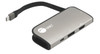
SIIG USB-C to Multi-Video MST Hub with 100W PD 3.0 - 4K@60Hz Ultra HD CBTC0G11S1

- SKU:
- 18213165
- MPN:
- 246182
- Availability:
- Usually ships the same or next business day. In stock at our SC warehouse.
- Shipping:
- Calculated at Checkout
- Stock Update:
- 02/07/2026 06:29:24 PM PST


Bulk discount rates
Below are the available bulk discount rates for each individual item when you purchase a certain amount
| Buy 2 or above | and pay only $45.93 each 45.93 |
- Stock Update:
- 02/07/2026 06:29:24 PM PST
Description
This item is brand-new, factory sealed.
Transforms a single USB-C port into a multi-port hub with HDMI, DisplayPort, VGA video, and USB-C PD charging
- Transforms a single USB-C port, with DP Alt mode or Thunderbolt 3 technology, into multiple video ports, with up to three simultaneous video outputs. Note: Requires a USB-C port that supports "DisplayPort Alternate Mode" (DP Alt Mode) or Thunderbolt 3 technology. Not all USB-C ports/systems support DP Alt Mode or Thunderbolt 3 functionality. Requires GPU / graphics card to support at least 3 external displays to use all 3 video ports at the same time with extended mode
- DisplayPort Multi Stream Transport (MST) technology supports single 4K @60Hz Ultra HD video output (DP), dual 4K+2Kvideo outputs (HDMI/DP, DP/VGA, HDMI/VGA) or triple Full HD 1080p video outputs. Note: macOS does not support MST technology and will only mirror the displays
- Supports Windows PCs with no driver installation required. macOS supports splitter (SST) mode only
- Power Delivery (PD) 3.0 specification, provides up to 100W to power/charge Laptops, Notebooks, and other peripheral devices
- Stowable cable and light weight design makes it a perfect accessory to take with you anywhere you go
- Plug-n-Play compatible, no software installation required plus no external power is needed
Notes:
- Mirror mode
- using Windows Display Utility and NVIDIA Utility is limited to 2 displays
- Video Wall mode (e.g., Panoramic) requires either an AMD Eyefinity, Intel, or NVIDIA Surround technology graphics adapter
- Intel CPUs with HD Graphics are limited to 3 external monitors altogether
- macOS currently does not support MST function will only mirror the displays
- The computer and power adapter must support PD 3.0 specification, otherwise the dock will reset when power delivery is disconnected
- Requires a USB-C port that supports "DisplayPort Alternate Mode" (Alt Mode). Not all USB-C ports/systems support Alt Mode functionality
Important information:
Adding additional displays to your system is simple with MST Hubs; however, they are mostly dependent on and tied to your Graphics Card's capability to operate properly. Make sure your system requirements are met before purchasing an MST Hub. Below are some key requirements for our MST
Hubs. Please contact us if you're not sure before making your purchase.
1) Make sure your DisplayPort or Mini DisplayPort is DP v1.2 or later. This is the most important criteria. If you're unsure, check with the video card or system manufacturer.
2) Mac OS does not support MST function and will only mirror the displays.
3) Install the latest drivers for your video card. Go directly to the system/video card manufacturer or chipset owner, such as AMD, Nvidia or Intel, to find the latest driver. Driver update through Device Manager may not retrieve the latest driver available.
4) MST hubs cannot increase the number displays a video card supports. Regardless of the number of display connectors built into your video card, each video card has a limited number of displays it can support. From our experience at the current time, AMD and NVIDIA video cards support up to 4 displays, while Intel supports up to 3. If you're unsure, check with the video card or system manufacturer. Note: AMD RX560 / RX570 / Radeon 7200 Series video cards only support up to 2 displays
5) Refer to our bandwidth table to make sure additional displays can be accommodated. It's important to note that if you use a 4K monitor to display in 1080p, there's a possibility that the link still gets 4K bandwidth and reduces the overall bandwidth for the other displays.
Package Contents:
- USB-C to Multi-Video MST Hub with PD 3.0
- Quick Start Guide
Features
- USB-C to Multi-Video MST Hub with PD 3.0
- Quick Start Guide
Environmentally Friendly:
Yes
Country of Origin:
China
Specs
| Physical Characteristics | |
| Product Material | Aluminum |
| Weight (Approximate) | 2.56 oz |
| Length | 4.1" |
| Width | 2" |
| Depth | 0.6" |
| Warranty | |
| Limited Warranty | 2 Year |
| Interfaces/Ports | |
| HDMI Out | Yes |
| Number of VGA Outputs | 1 |
| DisplayPort | Yes |
| USB | Yes |
| Number of DisplayPort Outputs | 1 |
| Number of HDMI Outputs | 1 |
| VGA Out | Yes |
| Video | |
| Maximum Video Resolution | 3840 ? 2160 |
| General Information | |
| Brand Name | SIIG |
| Manufacturer Website Address | http://www.siig.com |
| Marketing Information | Transforms a single USB-C port into a multi-port hub with HDMI, DisplayPort, VGA video, and USB-C PD charging Transforms a single USB-C port, with DP Alt mode or Thunderbolt 3 technology, into multiple video ports, with up to three simultaneous video outputs. Note : Requires a USB-C port that supports "DisplayPort Alternate Mode" (DP Alt Mode) or Thunderbolt 3 technology. Not all USB-C ports/systems support DP Alt Mode or Thunderbolt 3 functionality. Requires GPU / graphics card to support at least 3 external displays to use all 3 video ports at the same time with extended mode DisplayPort Multi Stream Transport (MST) technology supports single 4K @60Hz Ultra HD video output (DP), dual 4K+2Kvideo outputs (HDMI/DP, DP/VGA, HDMI/VGA) or triple Full HD 1080p video outputs. Note : macOS does not support MST technology and will only mirror the displays Supports Windows PCs with no driver installation required. macOS supports splitter (SST) mode only Power Delivery (PD) 3.0 specification, provides up to 100W to power/charge Laptops, Notebooks, and other peripheral devices Stowable cable and light weight design makes it a perfect accessory to take with you anywhere you go Plug-n-Play compatible, no software installation required plus no external power is needed Notes : Mirror mode using Windows Display Utility and NVIDIA Utility is limited to 2 displays Video Wall mode (e.g., Panoramic) requires either an AMD Eyefinity, Intel, or NVIDIA Surround technology graphics adapter Intel CPUs with HD Graphics are limited to 3 external monitors altogether macOS currently does not support MST function will only mirror the displays The computer and power adapter must support PD 3.0 specification, otherwise the dock will reset when power delivery is disconnected Requires a USB-C port that supports "DisplayPort Alternate Mode" (Alt Mode). Not all USB-C ports/systems support Alt Mode functionality Important information : Adding additional displays to your system is simple with MST Hubs; however, they are mostly dependent on and tied to your Graphics Card's capability to operate properly. Make sure your system requirements are met before purchasing an MST Hub. Below are some key requirements for our MST Hubs. Please contact us if you're not sure before making your purchase. 1) Make sure your DisplayPort or Mini DisplayPort is DP v1.2 or later. This is the most important criteria. If you're unsure, check with the video card or system manufacturer. 2) Mac OS does not support MST function and will only mirror the displays. 3) Install the latest drivers for your video card. Go directly to the system/video card manufacturer or chipset owner, such as AMD, Nvidia or Intel, to find the latest driver. Driver update through Device Manager may not retrieve the latest driver available. 4) MST hubs cannot increase the number displays a video card supports. Regardless of the number of display connectors built into your video card, each video card has a limited number of displays it can support. From our experience at the current time, AMD and NVIDIA video cards support up to 4 displays, while Intel supports up to 3. If you're unsure, check with the video card or system manufacturer. Note: AMD RX560 / RX570 / Radeon 7200 Series video cards only support up to 2 displays 5) Refer to our bandwidth table to make sure additional displays can be accommodated. It's important to note that if you use a 4K monitor to display in 1080p, there's a possibility that the link still gets 4K bandwidth and reduces the overall bandwidth for the other displays. |
| Product Type | Signal Splitter |
| Product Name | USB-C to Multi-Video MST Hub with PD 3.0 |
| Manufacturer | SIIG, Inc |
| Manufacturer Part Number | CB-TC0G11-S1 |
Warranty Information