
Qnap
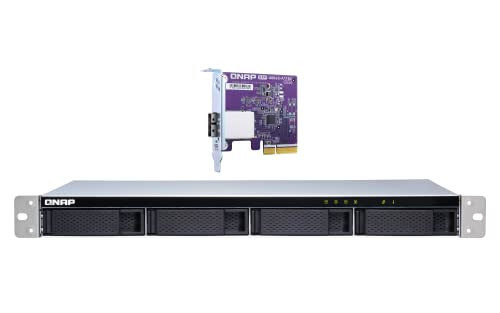
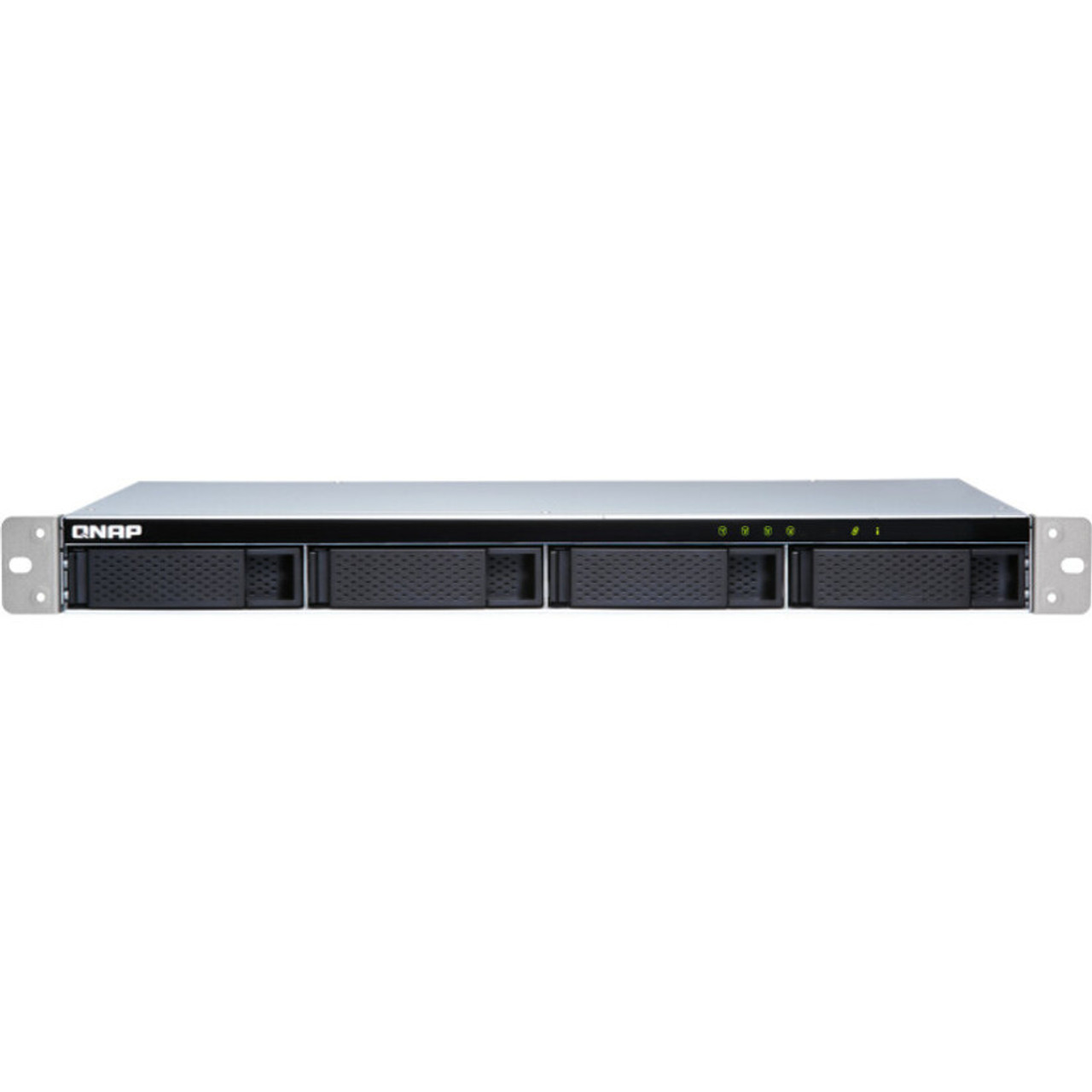
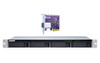
QNAP TL-R400S Drive Enclosure SATA/600 - Mini-SAS Host Interface - 1U Rack-mountable (242410) TLR400SUS
(No reviews yet)
Write a Review
- SKU:
- 18015466
- MPN:
- 242410_51
- Availability:
- Out of stock
- Stock Update:
- 12/27/2025 12:49:52 AM PST







- Stock Update:
- 12/27/2025 12:49:52 AM PST
Description
This item is brand-new, factory sealed.
TL-R400S Rackmount JBOD storage enclosure allows you to back up and expand your QNAP NAS, Windows and Ubuntu computers and servers. The TL-R400S features four 3.5-inch SATA 6Gb/s drive bays, the shallow rack design is perfect for installing the TL-R400S in a compact rack, or in areas with a lot of cabling. TL-R400S comes with a QXP PCIe card for connecting the enclosure using a SFF-8088 (or SFF-8644) cable. It provides reliable read/write performance for smooth storage and backup tasks.High-capacity TL SATA JBOD not only can expand NAS storage, but also Windows and Ubuntu computers and servers.
SFF-8088 (or SFF-8644) connection cable supports four SATA 6Gb/s channels per cable (24Gb/s in total) and provides faster data transfer speeds than eSATA and USB.
The short depth rackmount NAS is perfectly suited for installation in a compact rack, or places with a lot of cabling.
High-performance of TL SATA JBOD
The TL SATA JBOD supports multi-lane SATA 6Gb/s transfer, and each SATA lane directly connects to a single SATA drive to help improve performance. With the 1-1 high-speed channel, the TL SATA JBOD delivers excellent transfer performance.
Note: The SFF ports and drive slots order: SFF port 1 to HDD slot 1-4, SFF port 2 to HDD slot 5-8, SFF port 3 to HDD slot 9-12, SFF port 4 to SDD slot 1-4 (TL-D1600S)
Flexible Storage Configuration and Management
The TL-R400S provides software-controlled storage configuration for greater management flexibility. You can configure RAID and monitor JBOD enclosure and disk health with Storage & Snapshots when connected to a QTS or QuTS hero NAS, or with the QNAP JBOD Manager utility when connected to a computer. Drive Bay
4 x 3.5-inch SATA 6Gb/s, 3Gb/s Drive Compatibility
3.5-inch SATA hard disk drives
2.5-inch SATA hard disk drives
2.5-inch SATA solid state drives Audio Alert On/Off Switch
Yes Form Factor
1U Rackmount Host Interface
1 x SFF-8088 LED Indicators
HDD 1-4, Status, Link, Fan error Buttons
Power switch Max. number of HDDs/SSDs supported
4 Hard Drive Type
3.5-inch SATA hard disk drives
2.5-inch SATA hard disk drives
2.5-inch SATA solid state drives Operating temperature
0 - 40 oC (32oF - 104oF) Storage Temperature
-20 - 70oC (-4oF - 158oF) Relative Humidity
5-95% RH non-condensing, wet bulb: 27oC (80.6oF) Power Supply Unit
100W PSU, 100 - 240V Power Consumption: Operating Mode, Typical
25.07 W
Tested fully polulated with Seagate ST6000NM0024 hard drives. Fan Mode Switch
Yes (Auto, high, medium, low) Fan
2 x 40mm, 12VDC Sound Level
22.1 db(A) System Warning
Buzzer Kensington Security Slot
YesItem Dimension (L inchxW inchxH inch)
22 x 17 x 8
Weight
22.00 lb
Warranty Information
3 years
Package Contents:
- High-performance Short-depth Rackmount SATA 6GB/s JBOD Storage Enclosure
- 1 x Power Cord
- 1 x Mini SAS Cable (SFF-8088 to SFF-8088)
- 12 x Flat Head Screws (for 2.5" HDD)
- 16 x Flat Head Screws (for 3.5" HDD)
- QXP SATA Expansion Card
- Quick Installation Guide (QIG)
Features
Package Contents:
Taiwan
- High-performance Short-depth Rackmount SATA 6GB/s JBOD Storage Enclosure
- 1 x Power Cord
- 1 x Mini SAS Cable (SFF-8088 to SFF-8088)
- 12 x Flat Head Screws (for 2.5" HDD)
- 16 x Flat Head Screws (for 3.5" HDD)
- QXP SATA Expansion Card
- Quick Installation Guide (QIG)
Country of Origin:
Taiwan
Specs
| Controllers | |
| Non-RAID Mode | JBOD |
| Physical Characteristics | |
| Cooling Fan | Yes |
| Form Factor | Rack-mountable |
| Rack Height | 1U |
| I/O Expansions | |
| Number of Total Expansion Bays | 4 |
| Number of 2.5"/3.5" Bays | 4 |
| Interfaces/Ports | |
| Host Interface | Mini-SAS |
| Drive Interface | SATA/600 |
| General Information | |
| Brand Name | QNAP |
| Manufacturer Website Address | http://www.qnap.com |
| Marketing Information | TL-R400S Rackmount JBOD storage enclosure allows you to back up and expand your QNAP NAS, Windows® and Ubuntu® computers and servers. The TL-R400S features four 3.5-inch SATA 6Gb/s drive bays, the shallow rack design is perfect for installing the TL-R400S in a compact rack, or in areas with a lot of cabling. TL-R400S comes with a QXP PCIe card for connecting the enclosure using a SFF-8088 (or SFF-8644) cable. It provides reliable read/write performance for smooth storage and backup tasks. High-capacity TL SATA JBOD not only can expand NAS storage, but also Windows® and Ubuntu® computers and servers. SFF-8088 (or SFF-8644) connection cable supports four SATA 6Gb/s channels per cable (24Gb/s in total) and provides faster data transfer speeds than eSATA and USB. The short depth rackmount NAS is perfectly suited for installation in a compact rack, or places with a lot of cabling. High-performance of TL SATA JBOD The TL SATA JBOD supports multi-lane SATA 6Gb/s transfer, and each SATA lane directly connects to a single SATA drive to help improve performance. With the 1-1 high-speed channel, the TL SATA JBOD delivers excellent transfer performance. Flexible Storage Configuration and Management The TL-R400S provides software-controlled storage configuration for greater management flexibility. You can configure RAID and monitor JBOD enclosure and disk health with Storage & Snapshots when connected to a QTS or QTS hero NAS, or with the QNAP JBOD Manager utility when connected to a computer. Use the Storage & Snapshots Manager in QTS or QTS hero to configure the TL-R400S as a storage enclosure for your QNAP NAS. The NAS expansion storage mode supports various NAS functions, including storage pools and snapshots. With TL-R400S, you can easily expand storage capacity. The QNAP JBOD Manager is a desktop utility for monitoring the TL-R400S on Windows® and Ubuntu® computers. You can quickly obtain disk statuses, JBOD information and health, view fan rotation speed, and check for firmware version updates. What you need to know You can connect your TL-R400S to Windows® and Ubuntu® computers and servers through the SFF-8088 (or SFF-8644) high-speed cable and use built-in utility to manage the RAID configuration. Intelligently Monitor JBOD Enclosure Status on PC and Servers with QNAP JBOD Manager The QNAP JBOD Manager is a desktop utility for monitoring the TL-R400S on Windows® and Ubuntu® computers. You can quickly obtain the disk statuses, JBOD information and health, view fan rotation speed, and check for firmware version updates. All device events are recorded, and will send desktop notifications when a system alert occurs. Flexibly Expand Connectivity with QXP PCIe Cards Install an exclusive QXP PCIe card onto your QNAP NAS, Windows® or Ubuntu® PC and servers to connect the JBOD enclosure via SFF-8088 (or SFF-8644) cable, for easy and flexible storage expansion. |
| Product Type | Drive Enclosure |
| Product Name | High-performance Short-depth Rackmount SATA 6GB/s JBOD Storage Enclosure |
| Manufacturer | QNAP Systems |
| Manufacturer Part Number | TL-R400S-US |
| Product Model | TL-R400S |
| Technical Information | |
| Number of Hard Drives Supported | 4 |
| Number of Hard Drives Installed | 0 |
| Number of Solid State Drive Installed | 0 |
| Number of Solid State Drive Supported | 4 |
Warranty Information
All Items are Brand New, Factory Sealed and come with a standard warranty. [Read our policies]
View AllClose
QNAP TL-R400S Drive Enclosure SATA/600 - Mini-SAS Host Interface - 1U Rack-mountable (242410) TLR400SUS