Startech
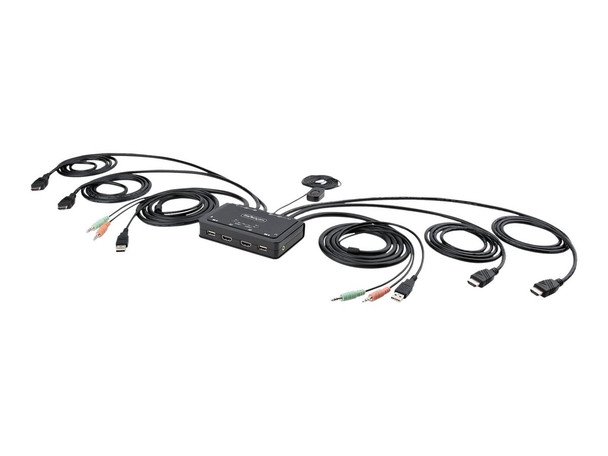
StarTech 2-Port Dual-Monitor HDMI Cable KVM Switch C2DH46UA2CBLKVM
- SKU:
- 20498569
- MPN:
- c2-dh46-ua2-cbl-kvm
- Availability:
- Usually ships the same or next business day. In stock at our PA, SC warehouses.
- Shipping:
- Calculated at Checkout
- Stock Update:
- 12/19/2025 12:06:32 AM PST





Bulk discount rates
Below are the available bulk discount rates for each individual item when you purchase a certain amount
| Buy 2 or above | and pay only $297.10 each 297.1 |
- Stock Update:
- 12/19/2025 12:06:32 AM PST
Description
This item is brand-new, factory sealed.
This Dual-Monitor KVM Switch enables users to switch between two USB-A and HDMI-enabled desktops, sharing dual-4K 60Hz HDMI monitors, a keyboard and mouse, and audio input/output devices.
Hassle-Free Setup
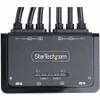
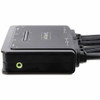
The KVM switch is bus powered and features built-in dual-HDMI, USB-A, and 3.5mm Audio Input/Output cables. This ensures compatibility and performance between the KVM switch, monitors, and peripherals - without the need to select and purchase the cables required for those connections.
Compatibility
The 2-port KVM switch is compatible with all operating systems, including Windows, macOS, ChromeOS, and Linux. The KVM works with all hardware platforms including Intel, AMD, and Apple M1/M2.
Intuitive Control
The KVM switch features two options to switch between hosts - a remote push button and hotkey commands, using the downloadable software. The remote push button includes a 1.5m cable for optimal placement in the setup. Independent audio switching can be achieved through the software, utilizing keyboard shortcuts (i.e., hotkeys), ensuring uninterrupted audio when switching between host devices.
Enhance Productivity and Device Management with the StarTech.com Connectivity Tools Application
? Developed to improve performance and security, StarTech.com Connectivity Tools is the only software suite on the market that works with a wide range of IT connectivity accessories. The software suite includes:
- Advanced Windows Layout Utility: Setup and save custom windows layouts.
- MAC Address Pass-Through Utility: Improve network security.
- USB Event Monitoring Utility: Track and log connected USB devices.
- Wi-Fi Auto Switch Utility: Enable users to quickly access faster network speeds via wired LAN.
Package Contents:
- KVM Switchbox
- 1 x Quick-Start Guide
Features
- KVM Switchbox
- 1 x Quick-Start Guide
Environmentally Friendly:
Yes
Compatibility:
- 10Windows 7
- Windows 8
- Windows 8.1
- Windows 10
- Windows 11
- macOS Sierra
- macOS High Sierra
- macOS Mojave
- macOS Catalina
- macOS BigSr
- macOS Monterey
- macOS 10.12
- macOS 10.15
- macOS 11
- macOS 12
- Chrome OS
Environmental Compliance:
Restriction of Hazardous Substances (RoHS)
Waste Electrical and Electronic Equipment Directive (WEEE)
Specs
| Physical Characteristics | |
| Form Factor | Desktop |
| Weight (Approximate) | 1.30 lb |
| Height | 1" |
| Width | 5" |
| Depth | 3.3" |
| Warranty | |
| Limited Warranty | 2 Year |
| Interfaces/Ports | |
| Number of USB Ports | 4 |
| Number of HDMI Ports | 6 |
| USB | Yes |
| HDMI | Yes |
| USB 2.0 | Yes |
| Video | |
| Maximum Video Resolution | 3840 x 2160 |
| Graphic Mode | 4K |
| General Information | |
| Brand Name | StarTech.com |
| Manufacturer Website Address | http://www.startech.com |
| Marketing Information | This Dual-Monitor KVM Switch enables users to switch between two USB-A and HDMI-enabled desktops, sharing dual-4K 60Hz HDMI monitors, a keyboard and mouse, and audio input/output devices. Hassle-Free Setup The KVM switch is bus powered and features built-in dual-HDMI, USB-A, and 3.5mm Audio Input/Output cables. This ensures compatibility and performance between the KVM switch, monitors, and peripherals - without the need to select and purchase the cables required for those connections. Compatibility The 2-port KVM switch is compatible with all operating systems, including Windows, macOS, ChromeOS, and Linux. The KVM works with all hardware platforms including Intel, AMD, and Apple M1/M2. Intuitive Control The KVM switch features two options to switch between hosts - a remote push button and hotkey commands, using the downloadable software. The remote push button includes a 1.5m cable for optimal placement in the setup. Independent audio switching can be achieved through the software, utilizing keyboard shortcuts (i.e., hotkeys), ensuring uninterrupted audio when switching between host devices. Enhance Productivity and Device Management with the StarTech.com Connectivity Tools Application Developed to improve performance and security, StarTech.com Connectivity Tools is the only software suite on the market that works with a wide range of IT connectivity accessories. The software suite includes: Advanced Windows Layout Utility: Setup and save custom windows layouts. MAC Address Pass-Through Utility: Improve network security. USB Event Monitoring Utility: Track and log connected USB devices. Wi-Fi Auto Switch Utility: Enable users to quickly access faster network speeds via wired LAN. |
| Product Type | KVM Switchbox |
| Product Name | KVM Switchbox |
| Manufacturer | StarTech.com |
| Manufacturer Part Number | C2DH46UA2CBLKVM |
| Packaged Quantity | 1 |
| Technical Information | |
| Number of Computers Supported | 2 |
| Device Type | Desktop KVM |
| Features |
|
| Number of Local Users Supported | 1 |
| Environmental Conditions | |
| Maximum Operating Temperature | 104°F (40°C) |
Warranty Information